
Create your circle
Invite the people you trust and choose who to contact.
Personal and family safety
Send an SOS or All OK update to your trusted contacts, choose whether to share your location, and check the delivery outcome. No continuous tracking.


Be ready ahead of time
Set up your circle once. When it matters, you already know what to do.
Invite the people you trust and choose who to contact.
Choose SOS or All OK, your message, and whether to include your location.
The receipt distinguishes completed, partial, and unconfirmed delivery.
Everything within a tap
Two clear actions, separately saved text for SOS and All OK, and a short countdown to prevent accidental sends.
Choose who receives SOS, select who to notify with All OK, and save your most-used groups with Premium.
Share it for a single action, only when you choose.
If the network is unstable, the send remains pending and is retried when the device allows it.
Prepare SOS or All OK from your Home Screen, then confirm in the app.

The free Inbox keeps the receipt over time: see the names of everyone reached and reopen updates from push notifications.

Ask, don’t wait
Send one request to multiple recipients and track replies in real time. See immediately who asks for help and who has not replied yet.
Creating requests requires Premium. Replying is always free.
A routine that cares
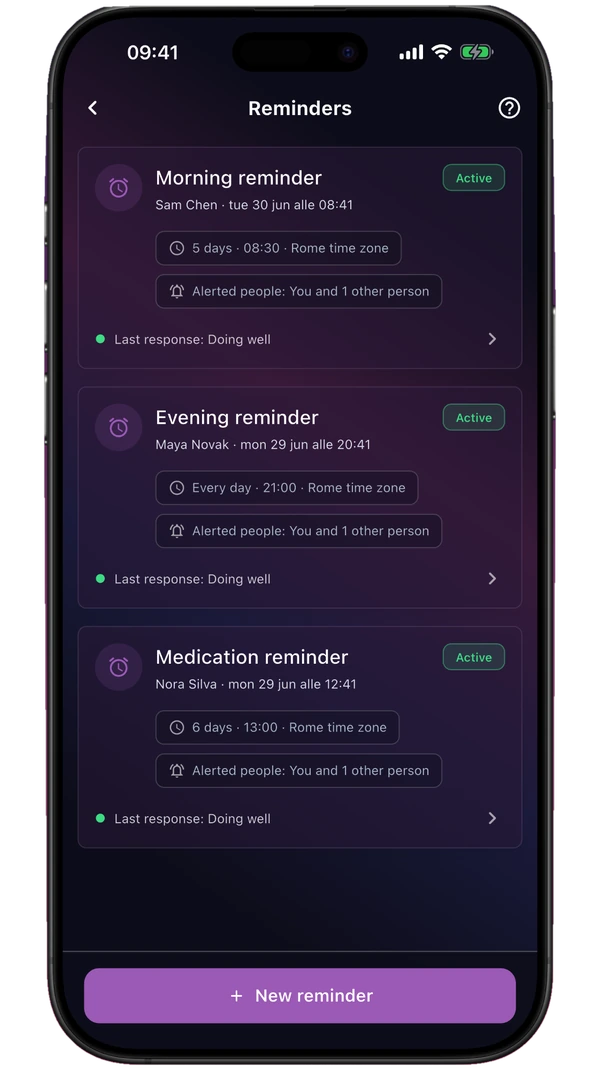
Choose the days, time, and response window. The reminder starts only after the invited person consents; then you receive an alert for I’m OK, a request for help, or no response.
In real life
Not only in emergencies, but also in the everyday moments when you want to know everything is okay.
Send All OK when you arrive, without opening group chats or repeating the same message.
A simple circle for staying updated without sharing location all day.
Consensual requests and Reminders to find out whether someone needs a hand.
Demo mode simulates SOS, All OK, How are you?, Reminders, and notifications without creating an account.
Privacy made clear
You decide what to send, to whom, and when.
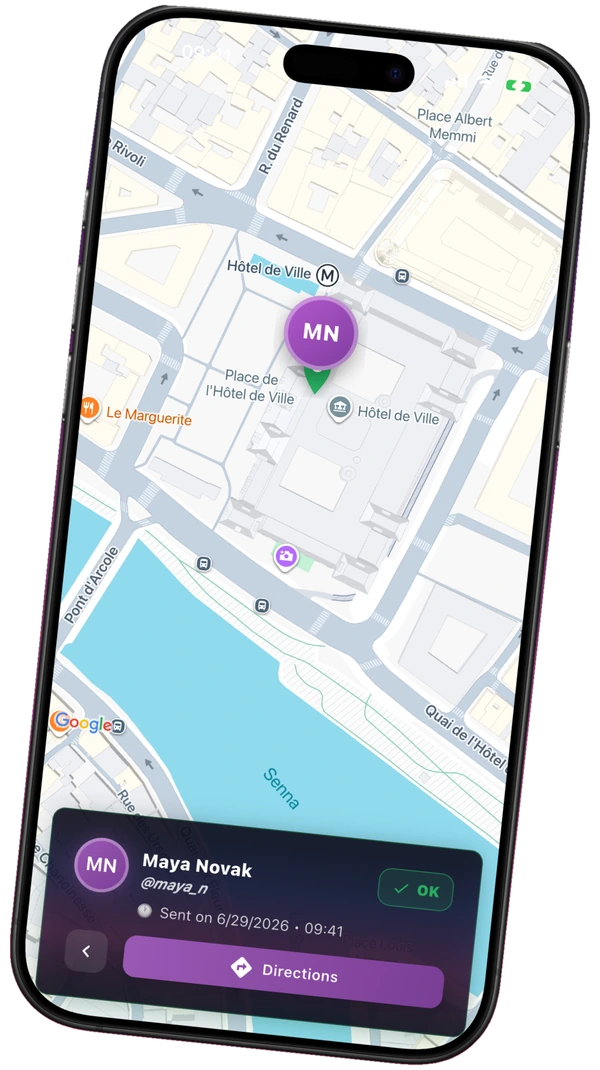
Your location is not shared in the background 24/7.
Invitations and Reminders require approval.
Choose recipients, message, and location before sending.
FAQ
It is an app for alerting your trusted circle with SOS or All OK, asking “How are you?”, and checking the delivery outcome.
No. If you are in immediate danger, use the Emergency Services button: it opens the dialer with the detected emergency number when possible, or shows a fallback number. It never places the call automatically.
Search for them by nickname and send a request. The recipient installs the app, creates their account, accepts the request, and enables notifications. You can make the first step easier by sharing the app link together with your nickname.
Only approved contacts you choose as recipients. For every action, you control the people, message, and location sharing.
No. You choose it for a single action. There is no continuous tracking.
SOS uses the recipients configured in Settings; for All OK, you choose the whole circle, individuals, or groups. The message and location remain optional, and sending always requires confirmation.
With Premium, you can send a request to your circle and follow replies for 30 minutes. Replying is always free.
The app keeps the send pending and tries to complete it when the device allows. The receipt shows the actual status.
They prepare SOS or All OK from the Home Screen. For safety, sending always requires confirmation in the app.
No. You can start free. Premium adds contacts, requests, groups, and Reminders.
My Safe Circle limits access to authorized accounts and contacts. Full details about processing and your rights are in the App Privacy Policy.
Before you need it
Free to get started. It only takes a few minutes.